 The
tl;dv
Made for sales and customer teams that want free meeting recordings plus automatic notes in their CRM.
AI meeting notetaker for Zoom, Google Meet and Teams that records, transcribes and summarises calls, logs notes to your CRM and drafts follow-ups. You can start on the free plan.
Created by tldv.io
Based on public information — not tested
Last checked: · sources linked below
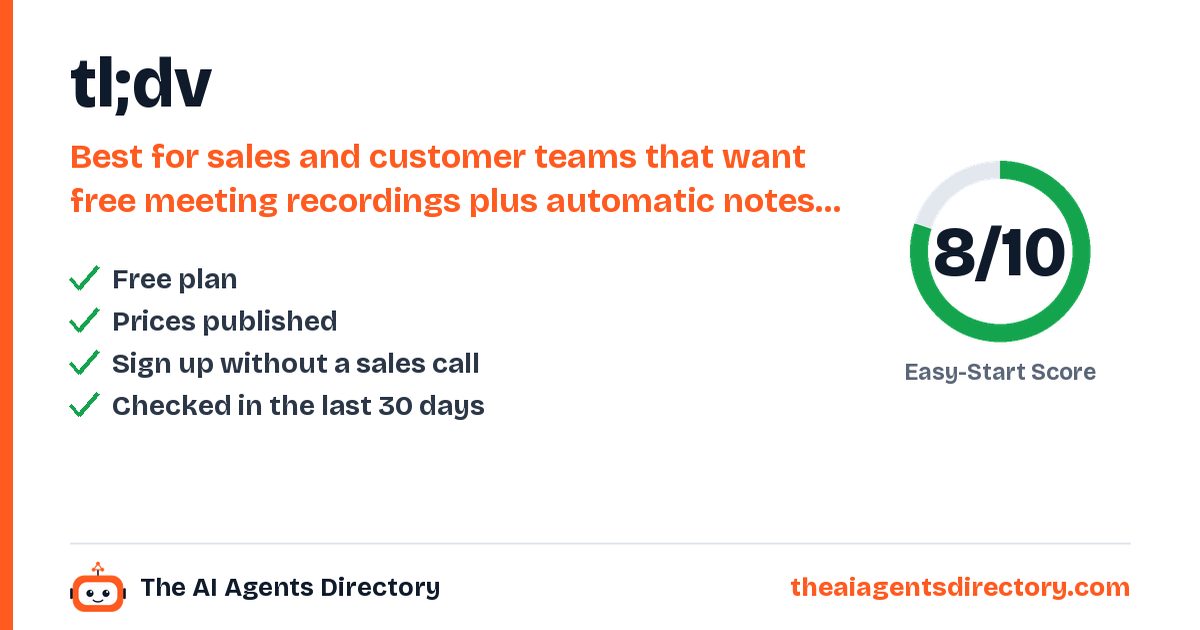
- Free plan available
- Prices published
- Checked 20 Oct 2026
- Independent, not affiliated
How it works for your business
Made for: sales teams, customer success teams, product managers, marketing teams
- CRM logging after calls eats selling time Logs call notes and outcomes to your CRM and drafts follow-ups More time selling
- Coaching new reps is slow Analyzes calls for objection handling and playbook use, with training clips Faster ramp-up for new hires
- Customer feedback is scattered across calls Cross-meeting reports on feedback, feature requests and trends Clear picture of what customers ask for
What it does for you
Six things tl;dv is built to do
Records and transcribes Zoom, Google Meet and Microsoft Teams calls
Customisable AI meeting summaries, shareable with the team
Transcripts and translation in 30+ languages
Logs call notes and outcomes to your CRM
AI reports that pull trends across many meetings
Sales coaching
Call analysis for playbook and objection handling.
Who it's for
Is tl;dv right for you?
Best for
Sales and customer teams that want free meeting recordings plus automatic notes in their CRM.
Pricing
Start free. Upgrade only if you need to.
Pricing as summarised from the vendor's own pages.
Prices change. Confirm on the vendor's own pricing page before you buy.
Try tl;dv freeGet started
How to get started with tl;dv
- Create your free account
Click "Get tl;dv - Free forever" and log in with your Google or Microsoft account (no credit card needed).
- Connect your calendar
Logging in with Google links Google Calendar and Microsoft links Outlook, so tl;dv can see your booked Zoom, Meet and Teams meetings.
- Install the Chrome extension or desktop app
Add the tl;dv Chrome extension (for Google Meet) or the desktop app (for recording Zoom and other platforms by hand).
- Choose auto-record or record now
Turn on auto-recording for all, internal or external meetings in your preferences, or click "Record now" and paste a meeting link.
- Admit the tl;dv bot
The meeting host must let the tl;dv bot into the meeting, otherwise it will not be recorded.
What you need
- A Google or Microsoft account (for login and calendar sync)
- Meetings on Zoom, Google Meet or Microsoft Teams
- The tl;dv Chrome extension or desktop app for manual recording
- The meeting host must admit the tl;dv bot
Steps summarised from tl;dv's own documentation, checked .
Easy-Start Score
How easy is it to get started?
Two points per check, from public information only. Unknown never counts as a fail. How we score
Worth knowing before you start
Full AI summaries for Zoom need Pro; no native mobile app (auto-recording works on mobile through Zoom, Meet and Teams); follow-ups are drafted for you to review.
Compare before you choose
Alternatives to tl;dv
Similar tools, ranked by how easy they are to start with.
Claap
Sales call recorder that turns meetings and emails into CRM fields, call scores and deal insights.
See details →Fathom
AI meeting notetaker that records Zoom, Google Meet and Microsoft Teams calls (with or without a bot), writes summaries and action items, and syncs notes to your CRM.
See details →Fellow
AI meeting notetaker for teams that records, transcribes and summarizes Zoom, Google Meet, Teams and in-person meetings, captures action items and can suggest CRM updates.
See details →Fireflies.ai
Meeting assistant that joins calls, transcribes and summarizes them, and pushes notes and tasks into CRM and project tools.
See details →Fyxer AI
AI email assistant for Gmail and Outlook that sorts the inbox, drafts replies in your style and takes meeting notes.
See details →Granola
AI notepad that transcribes meetings from your device without a bot and drafts notes, action items and follow-ups.
See details →Questions
Quick answers about tl;dv
At a glance: tl;dv: AI meeting notetaker for Zoom, Google Meet and Teams that records, transcribes and summarises calls, logs notes to your CRM and drafts follow-ups. It is best for sales and customer teams that want free meeting recordings plus automatic notes in their CRM. It has a free plan. Filed under Meeting Notes and Sales Outreach.
Does tl;dv have a free plan?
Yes. Pricing as listed by the vendor: Free forever plan (unlimited recordings and transcriptions, AI meeting summaries, no credit card); Pro €29/seat/month (€18/seat/month billed yearly); Business €39/seat/month (€29/seat/month billed yearly).
How much does tl;dv cost?
Free forever plan (unlimited recordings and transcriptions, AI meeting summaries, no credit card); Pro €29/seat/month (€18/seat/month billed yearly); Business €39/seat/month (€29/seat/month billed yearly). Prices change, so confirm on tl;dv's own pricing page before you buy.
Who is tl;dv best for?
Sales and customer teams that want free meeting recordings plus automatic notes in their CRM.
What can tl;dv do?
Records and transcribes Zoom, Google Meet and Microsoft Teams calls. Customisable AI meeting summaries, shareable with the team. Transcripts and translation in 30+ languages. Logs call notes and outcomes to your CRM. AI reports that pull trends across many meetings. Sales coaching: call analysis for playbook and objection handling.
What should I know before starting with tl;dv?
Full AI summaries for Zoom need Pro; no native mobile app (auto-recording works on mobile through Zoom, Meet and Teams); follow-ups are drafted for you to review.
What are the alternatives to tl;dv?
Similar tools in our directory include Claap, Fathom, Fellow and Fireflies.ai, ranked by how easy they are to start with.
How do I get started with tl;dv?
1. Create your free account. Click "Get tl;dv - Free forever" and log in with your Google or Microsoft account (no credit card needed). 2. Connect your calendar. Logging in with Google links Google Calendar and Microsoft links Outlook, so tl;dv can see your booked Zoom, Meet and Teams meetings. 3. Install the Chrome extension or desktop app. Add the tl;dv Chrome extension (for Google Meet) or the desktop app (for recording Zoom and other platforms by hand). 4. Choose auto-record or record now. Turn on auto-recording for all, internal or external meetings in your preferences, or click "Record now" and paste a meeting link. 5. Admit the tl;dv bot. The meeting host must let the tl;dv bot into the meeting, otherwise it will not be recorded.
Have you tested tl;dv?
No. This page is based on public information, and we link our sources. We are independent and not affiliated with tl;dv.

Ready to try tl;dv?
Start on the free plan and see if it fits. Prefer to compare first? We've lined up the alternatives.
Sources
- https://tldv.io
- https://tldv.io/pricing/
- https://tldv.io/
- https://tldv.io/integrations/
- https://intercom.help/tldv/en/
- https://intercom.help/tldv/en/articles/14434461-recording-meetings-with-google-meet
- https://intercom.help/tldv/en/articles/6633412-recording-meetings-with-zoom
Last checked . See our methodology.
tl;dv is made by tldv.io, an independent company. We are not affiliated with tldv.io. Features, prices and availability are set by tldv.io and can change; we check them on 20 Oct 2026. We are not responsible for how the third-party tool works. Our responsibility covers our own setup service and Care Plan as described in our terms.
Get new tools like tl;dv every week
Free weekly email: the newest AI tools we have checked and setups that work for businesses like yours. See what you get.