 The
Fathom
Made for owners, salespeople and small teams who spend the day on video calls and want automatic notes, action items and CRM updates without typing.
AI meeting notetaker that records Zoom, Google Meet and Microsoft Teams calls (with or without a bot), writes summaries and action items, and syncs notes to your CRM. You can start on the free plan.
Created by fathom.ai
Based on public information — not tested
Last checked: · sources linked below
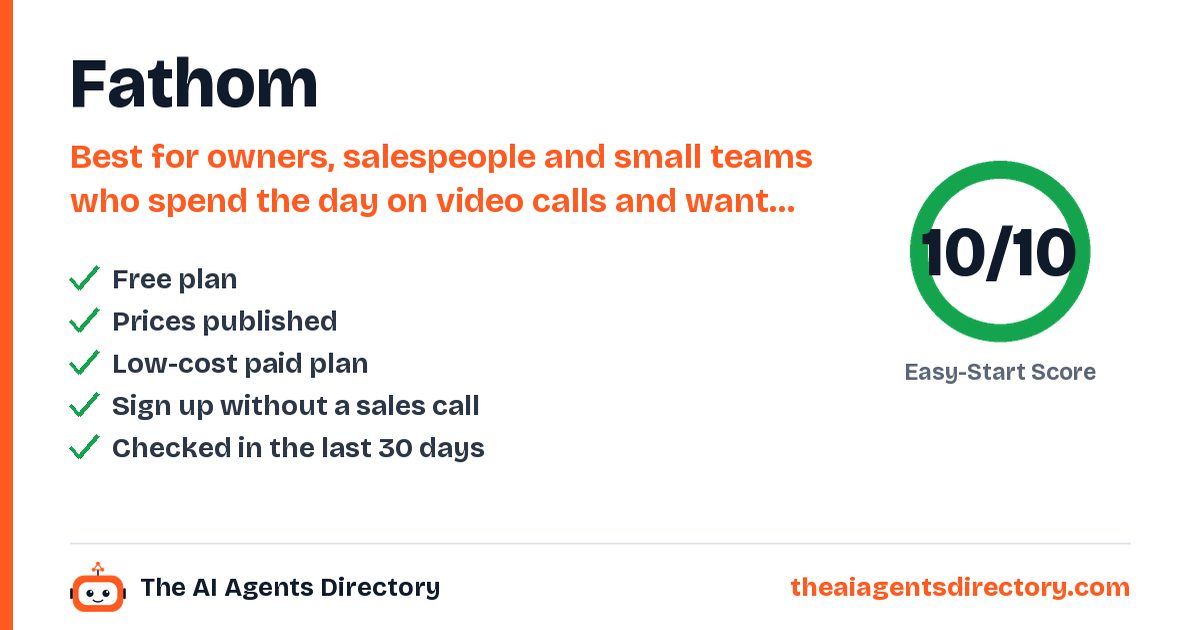
- Free plan available
- Prices published
- Checked 19 Oct 2026
- Independent, not affiliated
How it works for your business
Made for: sales teams, consultants, agencies, coaches, small-business owners on video calls
- Taking notes during calls means you miss what the customer says Records and summarizes every Zoom, Meet and Teams call automatically Full attention on the customer, with notes ready after the call
- Follow-ups and next steps get forgotten AI action items after each meeting (Premium+) Fewer dropped follow-ups and lost deals
- Updating the CRM after every call eats hours Syncs call notes to HubSpot or Salesforce CRM stays up to date without manual typing
What it does for you
Key things Fathom is built to do
Records and transcribes Zoom, Google Meet and Microsoft Teams calls, with a bot or bot-free
Instant AI call summaries
'Ask Fathom' to search and ask questions about past conversations
Auto-joins meetings from your connected Google or Microsoft calendar
Syncs notes and action items to HubSpot and Salesforce
Integrations with Slack, Notion, Asana and Zapier, plus a public API and MCP
Who it's for
Is Fathom right for you?
Best for
Owners, salespeople and small teams who spend the day on video calls and want automatic notes, action items and CRM updates without typing.
Pricing
Start free. Upgrade only if you need to.
Pricing as summarised from the vendor's own pages.
Prices change. Confirm on the vendor's own pricing page before you buy.
Try Fathom freeGet started
How to get started with Fathom
- Create your account
Sign up at fathom.ai with your Google or Microsoft account (takes about a minute).
- Connect your calendar
Authorize Google or Microsoft calendar sync so Fathom can join your meetings automatically.
- Turn on auto-record
In Settings, switch on automatic recording for all meetings and, if you like, auto-share recaps with attendees.
- Install the desktop app
Download the Fathom app for Windows or Mac (recommended even if you use the Zoom app or Chrome extension).
- Run a test call or join your next meeting
Start a Test Call from your profile menu, or just join your next Zoom, Meet or Teams call and get the summary afterwards.
What you need
- A Google or Microsoft account and calendar
- Meetings on Zoom, Google Meet or Microsoft Teams
Steps summarised from Fathom's own documentation, checked .
Easy-Start Score
How easy is it to get started?
Two points per check, from public information only. Unknown never counts as a fail. How we score
Worth knowing before you start
Advanced summaries and AI action items need Premium or higher. CRM field sync, deal view and AI coaching scorecards are Business only. Team and Business plans need at least 2 users. Free plan limits are not spelled out on the pricing page. Sign-up with a Gmail/consumer email needs a scheduled Zoom/Meet/Teams meeting within 7 days.
Compare before you choose
Alternatives to Fathom
Similar tools, ranked by how easy they are to start with.
Claap
Sales call recorder that turns meetings and emails into CRM fields, call scores and deal insights.
See details →Fellow
AI meeting notetaker for teams that records, transcribes and summarizes Zoom, Google Meet, Teams and in-person meetings, captures action items and can suggest CRM updates.
See details →Fireflies.ai
Meeting assistant that joins calls, transcribes and summarizes them, and pushes notes and tasks into CRM and project tools.
See details →Fyxer AI
AI email assistant for Gmail and Outlook that sorts the inbox, drafts replies in your style and takes meeting notes.
See details →Granola
AI notepad that transcribes meetings from your device without a bot and drafts notes, action items and follow-ups.
See details →Notta
AI note taker that joins or records meetings, transcribes them and produces summaries and action items.
See details →Questions
Quick answers about Fathom
At a glance: Fathom: AI meeting notetaker that records Zoom, Google Meet and Microsoft Teams calls (with or without a bot), writes summaries and action items, and syncs notes to your CRM. Best for owners, salespeople and small teams who spend the day on video calls and want automatic notes, action items and CRM updates without typing. It has a free plan.
Does Fathom have a free plan?
Yes. Pricing as listed by the vendor: Free forever plan. Premium $20/user/month ($16 billed annually). Team $19/user/month ($15 annually, 2-user minimum). Business $34/user/month ($25 annually, 2-user minimum). Enterprise: talk to sales. 90-day guarantee per the pricing page.
How much does Fathom cost?
Free forever plan. Premium $20/user/month ($16 billed annually). Team $19/user/month ($15 annually, 2-user minimum). Business $34/user/month ($25 annually, 2-user minimum). Enterprise: talk to sales. 90-day guarantee per the pricing page. Prices change, so confirm on Fathom's own pricing page before you buy.
Who is Fathom best for?
Owners, salespeople and small teams who spend the day on video calls and want automatic notes, action items and CRM updates without typing.
What can Fathom do?
Records and transcribes Zoom, Google Meet and Microsoft Teams calls, with a bot or bot-free. Instant AI call summaries. 'Ask Fathom' to search and ask questions about past conversations. Auto-joins meetings from your connected Google or Microsoft calendar. Syncs notes and action items to HubSpot and Salesforce. Integrations with Slack, Notion, Asana and Zapier, plus a public API and MCP. Desktop app for Windows and Mac and an iOS app.
What should I know before starting with Fathom?
Advanced summaries and AI action items need Premium or higher. CRM field sync, deal view and AI coaching scorecards are Business only. Team and Business plans need at least 2 users. Free plan limits are not spelled out on the pricing page. Sign-up with a Gmail/consumer email needs a scheduled Zoom/Meet/Teams meeting within 7 days.
What are the alternatives to Fathom?
Similar tools in our directory include Claap, Fellow, Fireflies.ai and Fyxer AI, ranked by how easy they are to start with.
How do I get started with Fathom?
1. Create your account. Sign up at fathom.ai with your Google or Microsoft account (takes about a minute). 2. Connect your calendar. Authorize Google or Microsoft calendar sync so Fathom can join your meetings automatically. 3. Turn on auto-record. In Settings, switch on automatic recording for all meetings and, if you like, auto-share recaps with attendees. 4. Install the desktop app. Download the Fathom app for Windows or Mac (recommended even if you use the Zoom app or Chrome extension). 5. Run a test call or join your next meeting. Start a Test Call from your profile menu, or just join your next Zoom, Meet or Teams call and get the summary afterwards.
Have you tested Fathom?
No. This page is based on public information, and we link our sources. We are independent and not affiliated with Fathom.

Ready to try Fathom?
Start on the free plan and see if it fits. Prefer to compare first? We've lined up the alternatives.
Sources
- https://www.fathom.ai/
- https://www.fathom.ai/pricing
- https://help.fathom.video/en/categories/74880-getting-started
- https://help.fathom.video/en/articles/276608
Last checked . See our methodology.
Fathom is made by fathom.ai, an independent company. We are not affiliated with fathom.ai. Features, prices and availability are set by fathom.ai and can change; we check them on 19 Oct 2026. We are not responsible for how the third-party tool works. Our responsibility covers our own setup service and Care Plan as described in our terms.
Get new tools like Fathom every week
Free weekly email: the newest AI tools we have checked and setups that work for businesses like yours. See what you get.