 The
Zoho CRM
Made for small and growing businesses that want a low-cost CRM and can grow into AI agents and automation as the team grows.
CRM with Zia AI agents that carry out sales tasks for you on the Professional plan and up, plus predictions, forecasting and workflow automation. You can start on the free plan.
Created by zoho.com
Based on public information — not tested
Last checked: · sources linked below
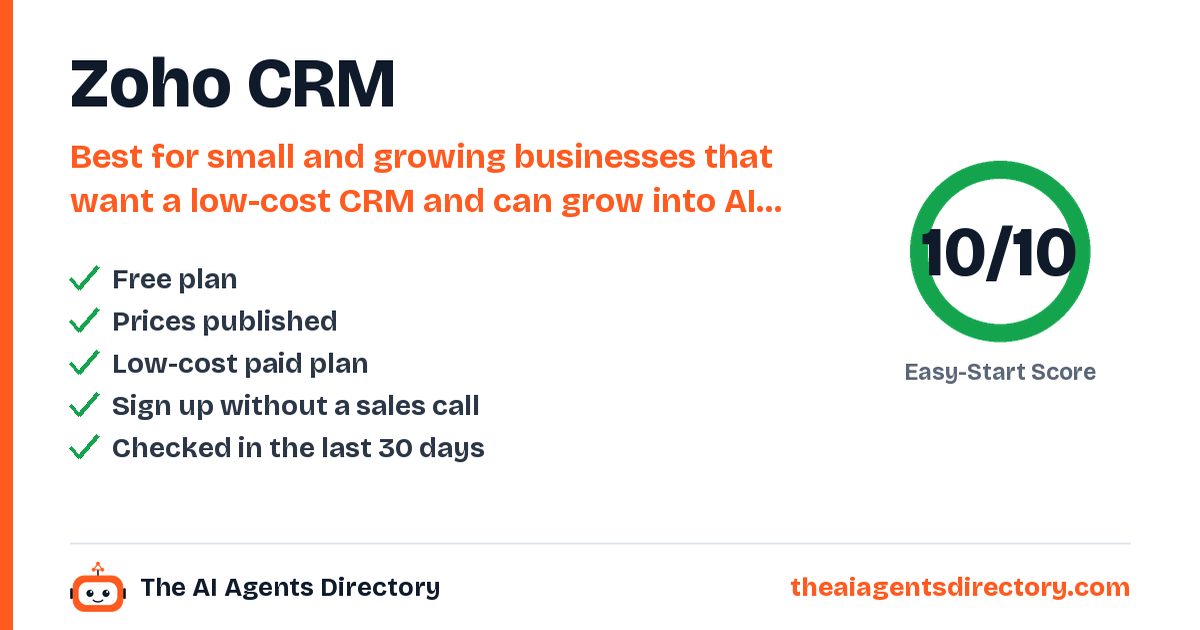
- Free plan available
- Prices published
- Checked 17 Oct 2026
- Independent, not affiliated
How it works for your business
Made for: small and growing sales teams, businesses moving off spreadsheets (Bigin), teams switching from Salesforce or HubSpot
- Leads sit untouched because nobody qualifies them Zia AI agents prospect, research and qualify leads Faster lead response and more closed deals
- Follow-ups and approvals get forgotten Automated follow-ups, approvals and next-step suggestions Reps always know what to do next
- CRM doesn't connect to the rest of the business 1,200+ integrations and MCP access for Claude and ChatGPT One system of record for sales
What it does for you
Key things Zoho CRM is built to do
AI agents that execute tasks on your behalf
Zia predictions
Likelihood of a lead converting, a deal closing or a customer churning.
Process management and workflow automation
Built-in calling, email integration and mass emails
Multiple sales pipelines and sales forecasting
Data enrichment of leads
Who it's for
Is Zoho CRM right for you?
Best for
Small and growing businesses that want a low-cost CRM and can grow into AI agents and automation as the team grows.
Industries
Also filed under: Lead Follow-Up · Sales Outreach · Workflow Automation
Pricing
Start free. Upgrade only if you need to.
Pricing as summarised from the vendor's own pages.
Prices change. Confirm on the vendor's own pricing page before you buy.
Try Zoho CRM freeGet started
How to get started with Zoho CRM
- Sign up
Start the Free edition (up to 3 users, no credit card) or a 15-day trial of a paid edition; pick Professional or higher if you want AI agents.
- Configure company settings
Set company details, time zone, home currency and fiscal year.
- Set roles and invite your team
Review the default roles and profiles, then add users and give each a role and profile.
- Customise your deal pipeline
Adjust deal stages and their probabilities to match how you sell.
- Connect email and import data
Link your email provider, then upload a CSV or XLSX file and map its columns to CRM fields.
What you need
- An email account to connect
- Your contacts as a CSV or XLSX file
- Professional edition or higher for AI agents
Steps summarised from Zoho CRM's own documentation, checked .
Easy-Start Score
How easy is it to get started?
Two points per check, from public information only. Unknown never counts as a fail. How we score
Worth knowing before you start
AI agents are not on the Free or Standard plans; you need Professional or higher. Prices shown exclude local taxes. Setup has several admin steps (roles, profiles, pipeline) that take longer than lighter CRMs.
Compare before you choose
Alternatives to Zoho CRM
Similar tools, ranked by how easy they are to start with.
Attio
AI-native CRM with custom agents and a web research agent that enrich records, research prospects and run workflows, plus Ask Attio for questions about your pipeline in plain language.
See details →Floqer
Go-to-market AI platform with web agents that build and enrich lead lists, track buying signals and run automated workflows synced to your CRM.
See details →800 AI Agents
AI receptionist from business-phone provider 800.com: AI agents answer your calls 24/7, answer common questions, qualify leads, book appointments and send call summaries.
See details →AgentErgon
AI agents for small service businesses: a Front Desk agent that answers website chat and texts and books appointments, a Follow-Up agent that re-contacts lapsed leads and no-shows, and a Review Manager that asks customers for Google reviews. Phone calls are listed as coming soon.
See details →AgentSDR
Free, open-source AI sales development rep you host yourself: runs email sequences, LinkedIn campaigns and WhatsApp messages and calls, sorts replies in a built-in AI CRM and drafts answers.
See details →Aira
AI receptionist for service businesses: answers calls 24/7, takes intake, qualifies callers, books appointments on your calendar, texts booking links and transfers to your team.
See details →Questions
Quick answers about Zoho CRM
At a glance: Zoho CRM: CRM with Zia AI agents that carry out sales tasks for you on the Professional plan and up, plus predictions, forecasting and workflow automation. Best for small and growing businesses that want a low-cost CRM and can grow into AI agents and automation as the team grows. It has a free plan.
Does Zoho CRM have a free plan?
Yes. Pricing as listed by the vendor: Free for up to 3 users. Standard $20/user/mo monthly or $14/user/mo billed annually; Professional (AI agents) $35/user/mo or $23 annually; Enterprise $50/user/mo or $40 annually; Ultimate $65/user/mo or $52 annually. 15-day free trial.
How much does Zoho CRM cost?
Free for up to 3 users. Standard $20/user/mo monthly or $14/user/mo billed annually; Professional (AI agents) $35/user/mo or $23 annually; Enterprise $50/user/mo or $40 annually; Ultimate $65/user/mo or $52 annually. 15-day free trial. Prices change, so confirm on Zoho CRM's own pricing page before you buy.
Who is Zoho CRM best for?
Small and growing businesses that want a low-cost CRM and can grow into AI agents and automation as the team grows.
What can Zoho CRM do?
AI agents that execute tasks on your behalf. Zia predictions: likelihood of a lead converting, a deal closing or a customer churning. Process management and workflow automation. Built-in calling, email integration and mass emails. Multiple sales pipelines and sales forecasting. Data enrichment of leads. Gmail, Outlook, Slack, Zoom and Teams integrations.
What should I know before starting with Zoho CRM?
AI agents are not on the Free or Standard plans; you need Professional or higher. Prices shown exclude local taxes. Setup has several admin steps (roles, profiles, pipeline) that take longer than lighter CRMs.
What are the alternatives to Zoho CRM?
Similar tools in our directory include Attio, Floqer, 800 AI Agents and AgentErgon, ranked by how easy they are to start with.
How do I get started with Zoho CRM?
1. Sign up. Start the Free edition (up to 3 users, no credit card) or a 15-day trial of a paid edition; pick Professional or higher if you want AI agents. 2. Configure company settings. Set company details, time zone, home currency and fiscal year. 3. Set roles and invite your team. Review the default roles and profiles, then add users and give each a role and profile. 4. Customise your deal pipeline. Adjust deal stages and their probabilities to match how you sell. 5. Connect email and import data. Link your email provider, then upload a CSV or XLSX file and map its columns to CRM fields.
Have you tested Zoho CRM?
No. This page is based on public information, and we link our sources. We are independent and not affiliated with Zoho CRM.
Ready to try Zoho CRM?
Start on the free plan and see if it fits. Prefer to compare first? We've lined up the alternatives.
Sources
- https://www.zoho.com/crm/
- https://www.zoho.com/crm/zohocrm-pricing.html
- https://www.zohowebstatic.com/sites/zweb/json/pricing/crm-pricing-val.json
- https://www.zoho.com/crm/zia/
- https://help.zoho.com/portal/en/kb/crm/getting-started/articles/admin-quick-start
Last checked . See our methodology.
Zoho CRM is made by zoho.com, an independent company. We are not affiliated with zoho.com. Features, prices and availability are set by zoho.com and can change; we check them on 17 Oct 2026. We are not responsible for how the third-party tool works. Our responsibility covers our own setup service and Care Plan as described in our terms.
Get new tools like Zoho CRM every week
Free weekly email: the newest AI tools we have checked and setups that work for businesses like yours. See what you get.