 The
Xero JAX
Made for small businesses that want accounting software with a built-in AI assistant that keeps the books current and answers money questions without a separate tool.
JAX is the AI finance assistant built into Xero accounting: it auto-reconciles bank matches it is confident about, answers questions about your numbers in plain language and helps with admin like creating invoices or quotes. See the plans and prices below.
Created by xero.com
Based on public information — not tested
Last checked: · sources linked below
- No free plan
- Prices published
- Checked 1 Nov 2026
- Independent, not affiliated
How it works for your business
Made for: small business owners, bookkeepers and accountants, self-employed, contractors, restaurants
- Bank reconciliation eats hours every month Auto-reconciles the bank matches it is confident about; you approve the rest Books stay current with less admin
- You can't get quick answers about your own numbers Ask in plain language and get answers with charts and tables from your Xero data Faster, more confident money decisions
- Invoices and quotes pile up Helps create invoices or quotes from a chat request Bills go out sooner, so you get paid sooner
What it does for you
Six things Xero JAX is built to do
Auto-reconciles bank transactions it is confident about
Plain-language answers about your financials, with charts and tables
Helps with admin, e.g. create an invoice from a customer's last quote
Business research questions using web information
Answers Xero how-to questions from Xero help content
Follows your Xero user roles and permissions
Who it's for
Is Xero JAX right for you?
Best for
Small businesses that want accounting software with a built-in AI assistant that keeps the books current and answers money questions without a separate tool.
Industries
Also filed under: Document Processing · Workflow Automation · Data Analysis
Pricing
Xero JAX pricing
Pricing as summarised from the vendor's own pages.
Prices change. Confirm on the vendor's own pricing page before you buy.
Buy / try Xero JAXGet started
How to get started with Xero JAX
- Sign up for Xero
Start the 30-day free trial or buy a plan on xero.com; choose Growing or Established if you want automatic reconciliation included.
- Connect your bank
Connect your bank so transactions flow into Xero every day; JAX then auto-reconciles the matches it is confident about and you approve the rest.
- Open JAX
Nothing to install: open JAX from the Xero navigation bar and ask a question, such as your income for the last six months.
What you need
- A Xero subscription (or free trial)
- Your business bank account to connect
Steps summarised from Xero JAX's own documentation, checked .
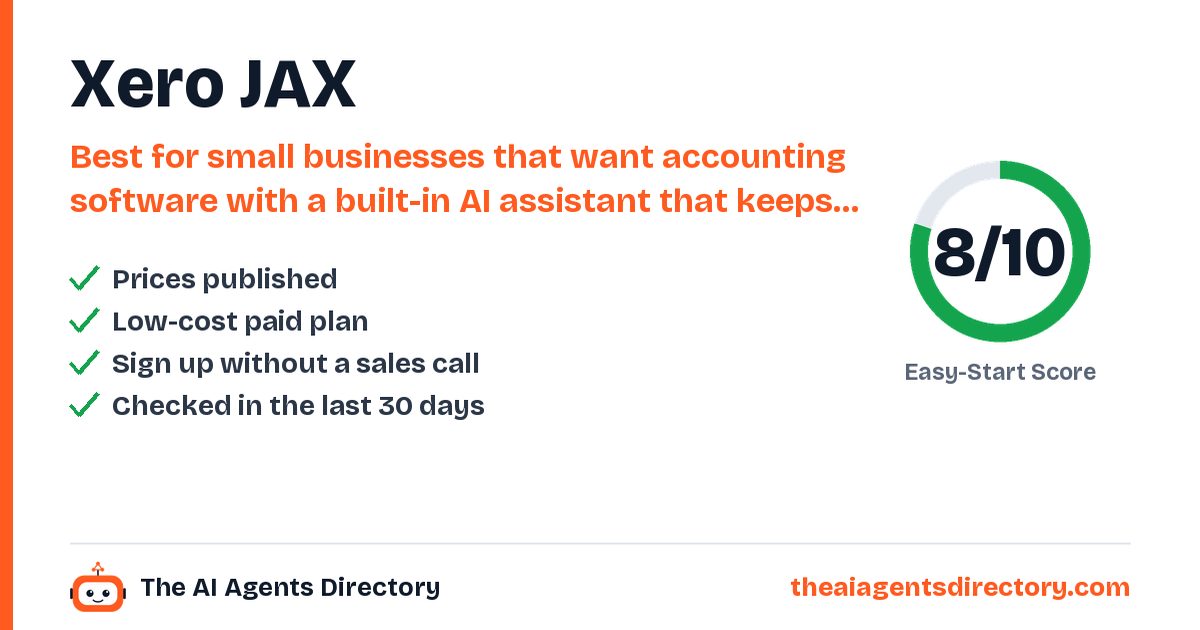
Easy-Start Score
How easy is it to get started?
Two points per check, from public information only. Unknown never counts as a fail. How we score
Worth knowing before you start
Only available inside a Xero subscription. Auto-reconcile is included in the Growing and Established plans; the plan comparison shows it as an optional $5/month add-on otherwise. Xero says JAX chat has no extra charge for now but reserves the right to change pricing.
Compare before you choose
Alternatives to Xero JAX
Similar tools, ranked by how easy they are to start with.
Intuit QuickBooks (AI agents)
QuickBooks Online's built-in AI (Intuit Intelligence) drafts invoices and payment reminders for your approval, creates bills from emails, PDFs and photos you forward, and flags bookkeeping inconsistencies.
See details →Skyvern
Open-source AI agent that automates browser tasks such as logging into portals, filling forms and extracting data.
See details →Brisk Teaching
Browser extension for K-12 teachers that generates lesson materials, gives writing feedback and levels texts.
See details →Firmenza
AI assistant for US small businesses that checks a SAM.gov registration, emails expiry reminders, guides you through renewal questions and matches federal contract opportunities. It never signs in to SAM.gov or makes certifications for you.
See details →StackAI
No-code platform for building and deploying enterprise AI agents that work across company systems.
See details →Booke AI
AI bookkeeper that works inside QuickBooks Online or Xero: each day it categorises bank-feed transactions, matches them to invoices, bills and receipts, asks for missing documents and flags exceptions for you to review.
See details →Questions
Quick answers about Xero JAX
At a glance: Xero JAX: JAX is the AI finance assistant built into Xero accounting: it auto-reconciles bank matches it is confident about, answers questions about your numbers in plain language and helps with admin like creating invoices or quotes. It has no free plan.
Does Xero JAX have a free plan?
No. Pricing as listed by the vendor: Included with Xero (no extra charge for JAX chat currently). US plans: Early $27/mo, Growing $59/mo, Established $97/mo. Limited-time intro offer (vendor says it ends 2 Nov 2026): $2.70 / $5.90 / $9.70 per month for the first 6 months. Auto-reconcile in Growing and Established; optional $5/mo add-on on Early.
How much does Xero JAX cost?
Included with Xero (no extra charge for JAX chat currently). US plans: Early $27/mo, Growing $59/mo, Established $97/mo. Limited-time intro offer (vendor says it ends 2 Nov 2026): $2.70 / $5.90 / $9.70 per month for the first 6 months. Auto-reconcile in Growing and Established; optional $5/mo add-on on Early. Prices change, so confirm on Xero JAX's own pricing page before you buy.
Who is Xero JAX best for?
Small businesses that want accounting software with a built-in AI assistant that keeps the books current and answers money questions without a separate tool.
What can Xero JAX do?
Auto-reconciles bank transactions it is confident about. Plain-language answers about your financials, with charts and tables. Helps with admin, e.g. create an invoice from a customer's last quote. Business research questions using web information. Answers Xero how-to questions from Xero help content. Follows your Xero user roles and permissions.
What should I know before starting with Xero JAX?
Only available inside a Xero subscription. Auto-reconcile is included in the Growing and Established plans; the plan comparison shows it as an optional $5/month add-on otherwise. Xero says JAX chat has no extra charge for now but reserves the right to change pricing.
What are the alternatives to Xero JAX?
Similar tools in our directory include Intuit QuickBooks (AI agents), Skyvern, Brisk Teaching and Firmenza, ranked by how easy they are to start with.
How do I get started with Xero JAX?
1. Sign up for Xero. Start the 30-day free trial or buy a plan on xero.com; choose Growing or Established if you want automatic reconciliation included. 2. Connect your bank. Connect your bank so transactions flow into Xero every day; JAX then auto-reconciles the matches it is confident about and you approve the rest. 3. Open JAX. Nothing to install: open JAX from the Xero navigation bar and ask a question, such as your income for the last six months.
Have you tested Xero JAX?
No. This page is based on public information, and we link our sources. We are independent and not affiliated with Xero JAX.

Ready to try Xero JAX?
Check the plans and see if it fits. Prefer to compare first? We've lined up the alternatives.
Sources
- https://www.xero.com/us/ai-in-accounting/jax/
- https://www.xero.com/us/accounting-software/
- https://www.xero.com/us/pricing-plans/
- https://www.xero.com/us/signup/growing/
Last checked . See our methodology.
Xero JAX is made by xero.com, an independent company. We are not affiliated with xero.com. Features, prices and availability are set by xero.com and can change; we check them on 1 Nov 2026. We are not responsible for how the third-party tool works. Our responsibility covers our own setup service and Care Plan as described in our terms.
Get new tools like Xero JAX every week
Free weekly email: the newest AI tools we have checked and setups that work for businesses like yours. See what you get.