 The
Booke AI
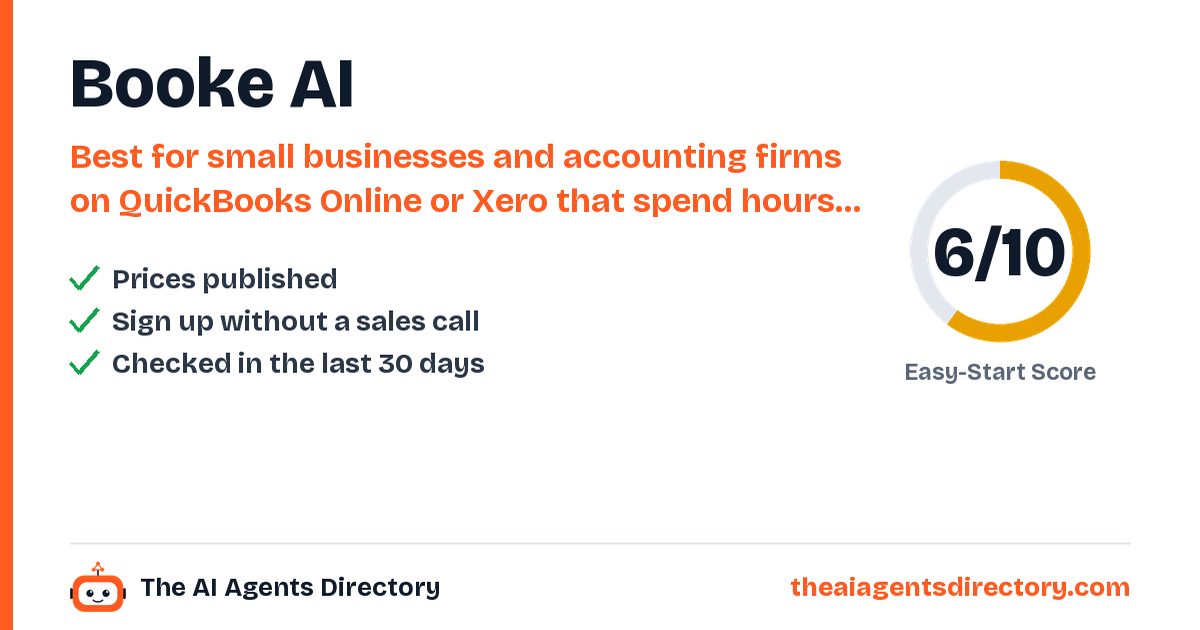
Made for small businesses and accounting firms on QuickBooks Online or Xero that spend hours each week categorising and matching bank-feed transactions.
AI bookkeeper that works inside QuickBooks Online or Xero: each day it categorises bank-feed transactions, matches them to invoices, bills and receipts, asks for missing documents and flags exceptions for you to review. See the plans and prices below.
Created by booke.ai
Based on public information — not tested
Last checked: · sources linked below
- No free plan
- Prices published
- Checked 25 Oct 2026
- Independent, not affiliated
How it works for your business
Made for: bookkeepers, accounting firms, small businesses on QuickBooks Online or Xero
- Categorising bank transactions by hand takes hours Auto-categorises bank-feed transactions Books kept up with less manual work
- Chasing clients for receipts and answers One-click client queries and requests for missing documents Fewer back-and-forth emails
- Errors hide in the books Finds inconsistencies and helps with reconciliation Cleaner books at month-end
What it does for you
Key things Booke AI is built to do
Daily bank-feed categorisation inside QuickBooks Online and Xero
Matches transactions to invoices, bills and receipts
Requests missing documents automatically
Your own rules and thresholds
Exception review with an audit trail and the reasoning behind each category
OCR for bills, invoices and receipts
Who it's for
Is Booke AI right for you?
Best for
Small businesses and accounting firms on QuickBooks Online or Xero that spend hours each week categorising and matching bank-feed transactions.
Pricing
Booke AI pricing
Pricing as summarised from the vendor's own pages.
Prices change. Confirm on the vendor's own pricing page before you buy.
Buy / try Booke AIGet started
How to get started with Booke AI
- Sign up
Click 'Start now' on booke.ai and create your account; the Business plan is $129 per business per month.
- Connect your books
Invite AI Bookkeeper to your QuickBooks Online company, or connect your Xero organisation. It uses the bank feeds you already have, so no new bank connections are needed.
- Set your rules
Add your thresholds and rules (for example, all transactions over $50 need a receipt) and any stop keywords for transactions you want to handle yourself.
- Review exceptions
AI Bookkeeper works through the bank feed daily; you review only the items it flags before reconciliation.
What you need
- A QuickBooks Online or Xero account with bank feeds connected
- Admin access to invite or connect AI Bookkeeper
Steps summarised from Booke AI's own documentation, checked .
Easy-Start Score
How easy is it to get started?
Two points per check, from public information only. Unknown never counts as a fail. How we score
Worth knowing before you start
Only works with QuickBooks Online or Xero (two-way sync also listed for Zoho Books). Learns from recent history only; older periods are a paid add-on. Low-confidence transactions still need a human decision. Accounting-firm pricing is by request.
Compare before you choose
Alternatives to Booke AI
Similar tools, ranked by how easy they are to start with.
Intuit QuickBooks (AI agents)
QuickBooks Online's built-in AI (Intuit Intelligence) drafts invoices and payment reminders for your approval, creates bills from emails, PDFs and photos you forward, and flags bookkeeping inconsistencies.
See details →Skyvern
Open-source AI agent that automates browser tasks such as logging into portals, filling forms and extracting data.
See details →Brisk Teaching
Browser extension for K-12 teachers that generates lesson materials, gives writing feedback and levels texts.
See details →Firmenza
AI assistant for US small businesses that checks a SAM.gov registration, emails expiry reminders, guides you through renewal questions and matches federal contract opportunities. It never signs in to SAM.gov or makes certifications for you.
See details →StackAI
No-code platform for building and deploying enterprise AI agents that work across company systems.
See details →Xero JAX
JAX is the AI finance assistant built into Xero accounting: it auto-reconciles bank matches it is confident about, answers questions about your numbers in plain language and helps with admin like creating invoices or quotes.
See details →Questions
Quick answers about Booke AI
At a glance: Booke AI: AI bookkeeper that works inside QuickBooks Online or Xero: each day it categorises bank-feed transactions, matches them to invoices, bills and receipts, asks for missing documents and flags exceptions for you to review. It has no free plan.
Does Booke AI have a free plan?
No. Pricing as listed by the vendor: AI Bookkeeper (Business): $129 per business per month (monthly and annual options shown on the pricing page); accounting firms: pricing by request, white-label available. No free plan shown.
How much does Booke AI cost?
AI Bookkeeper (Business): $129 per business per month (monthly and annual options shown on the pricing page); accounting firms: pricing by request, white-label available. No free plan shown. Prices change, so confirm on Booke AI's own pricing page before you buy.
Who is Booke AI best for?
Small businesses and accounting firms on QuickBooks Online or Xero that spend hours each week categorising and matching bank-feed transactions.
What can Booke AI do?
Daily bank-feed categorisation inside QuickBooks Online and Xero. Matches transactions to invoices, bills and receipts. Requests missing documents automatically. Your own rules and thresholds. Exception review with an audit trail and the reasoning behind each category. OCR for bills, invoices and receipts. Uses your existing bank connection.
What should I know before starting with Booke AI?
Only works with QuickBooks Online or Xero (two-way sync also listed for Zoho Books). Learns from recent history only; older periods are a paid add-on. Low-confidence transactions still need a human decision. Accounting-firm pricing is by request.
What are the alternatives to Booke AI?
Similar tools in our directory include Intuit QuickBooks (AI agents), Skyvern, Brisk Teaching and Firmenza, ranked by how easy they are to start with.
How do I get started with Booke AI?
1. Sign up. Click 'Start now' on booke.ai and create your account; the Business plan is $129 per business per month. 2. Connect your books. Invite AI Bookkeeper to your QuickBooks Online company, or connect your Xero organisation. It uses the bank feeds you already have, so no new bank connections are needed. 3. Set your rules. Add your thresholds and rules (for example, all transactions over $50 need a receipt) and any stop keywords for transactions you want to handle yourself. 4. Review exceptions. AI Bookkeeper works through the bank feed daily; you review only the items it flags before reconciliation.
Have you tested Booke AI?
No. This page is based on public information, and we link our sources. We are independent and not affiliated with Booke AI.

Ready to try Booke AI?
Check the plans and see if it fits. Prefer to compare first? We've lined up the alternatives.
Sources
- https://www.booke.ai/
- https://www.booke.ai/pricing
- https://www.booke.ai/quickbooks-online
- https://www.booke.ai/xero
- https://www.booke.ai/signup
Last checked . See our methodology.
Booke AI is made by booke.ai, an independent company. We are not affiliated with booke.ai. Features, prices and availability are set by booke.ai and can change; we check them on 25 Oct 2026. We are not responsible for how the third-party tool works. Our responsibility covers our own setup service and Care Plan as described in our terms.
Get new tools like Booke AI every week
Free weekly email: the newest AI tools we have checked and setups that work for businesses like yours. See what you get.